I have been playing with Morse code again, and one thing I wanted was a practice source that changes every day. Random practice text is fine, but copying something with real words and real context feels more like listening to an actual transmission. So I vibe coded a small web app that sends current news headlines as Morse code.
The result is here:
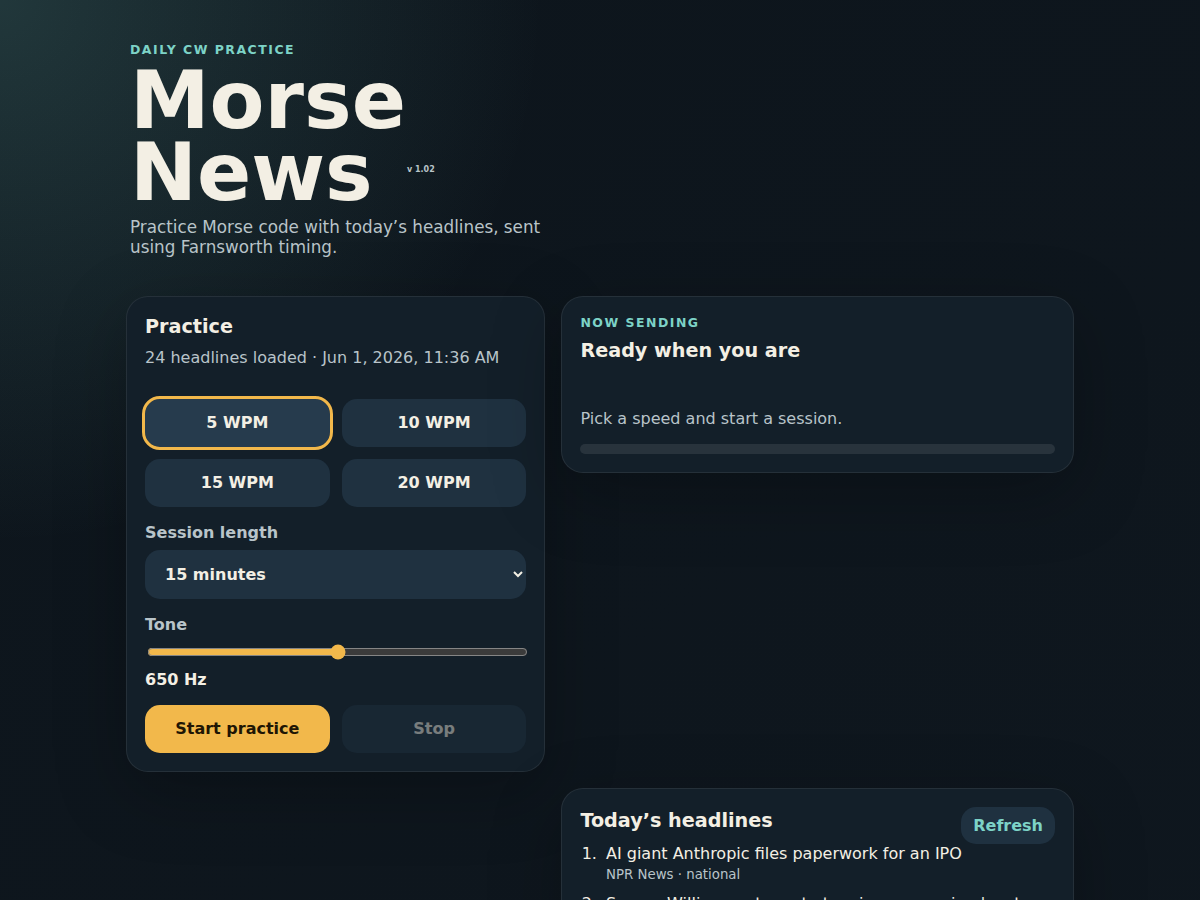
Morse News: current headlines as CW practice
The page fetches a small set of headlines, then sends them as CW audio in the browser. It uses Farnsworth timing, so the characters are sent at a steady 20 WPM while the spacing stretches out for slower effective copy speeds. That makes the rhythm of the characters sound right even when practicing at 5, 10, or 15 WPM.
Each headline is treated as its own message. At the end of a headline the page
sends the AR end-of-message prosign (.-.-.), then waits five seconds before
starting the next headline. That little bit of structure matters; otherwise the
headlines run together in a way that is not very pleasant to copy.
The source is also on GitHub:
Vibe Coding It
This was a good example of the kind of coding I have been doing lately: I describe the experience I want, iterate on the details, and let the AI assistant do most of the mechanical code changes. The interesting work is not just “generate a web page.” It is the back-and-forth: make the tone adjustable, add session lengths, keep the UI usable on a phone, separate one headline from the next, add a visible version number, and push each revision through GitHub so the host can deploy it.
That style works especially well for small, self-contained tools. The app is plain HTML, CSS, JavaScript, and a tiny Node/Express server. No build system, no framework, no complicated deployment machinery.
Older Morse Tools
This is not my first little Morse code tool. A while back I made a couple of static references as part of my Morse Keyer project.
The first is a Morse code cheat sheet:
It is most useful for understanding the extra symbols, abbreviations, and protocols that show up in a typical Morse code or CW contact over ham radio. The straight alphabet and numbers are only part of what you hear on the air. There are prosigns, Q signals, procedural marks, and the general structure of a contact: calling, answering, exchanging reports, sending names and locations, and signing off.
The page also includes the letters and numbers. Some people prefer to keep those off a cheat sheet once they are memorized, but I wanted a complete page that could be printed and kept at the station for a quick refresher.
The second page is a Morse code decoder tree:
That one is more of a visualization. It lays out letters, numbers, and common symbols in the space of possible dots and dashes. A dot takes one branch, a dash takes the other, and each endpoint is a Morse character. I liked seeing the code fill out that kind of space-filling tree structure; it makes the shape of the code visible in a way a flat table does not.
Together, the cheat sheet, decoder tree, and Morse News page make a nice little practice loop: learn the structure of a CW contact, keep the symbols nearby, visualize how the code maps into dots and dashes, then copy real headlines by ear.