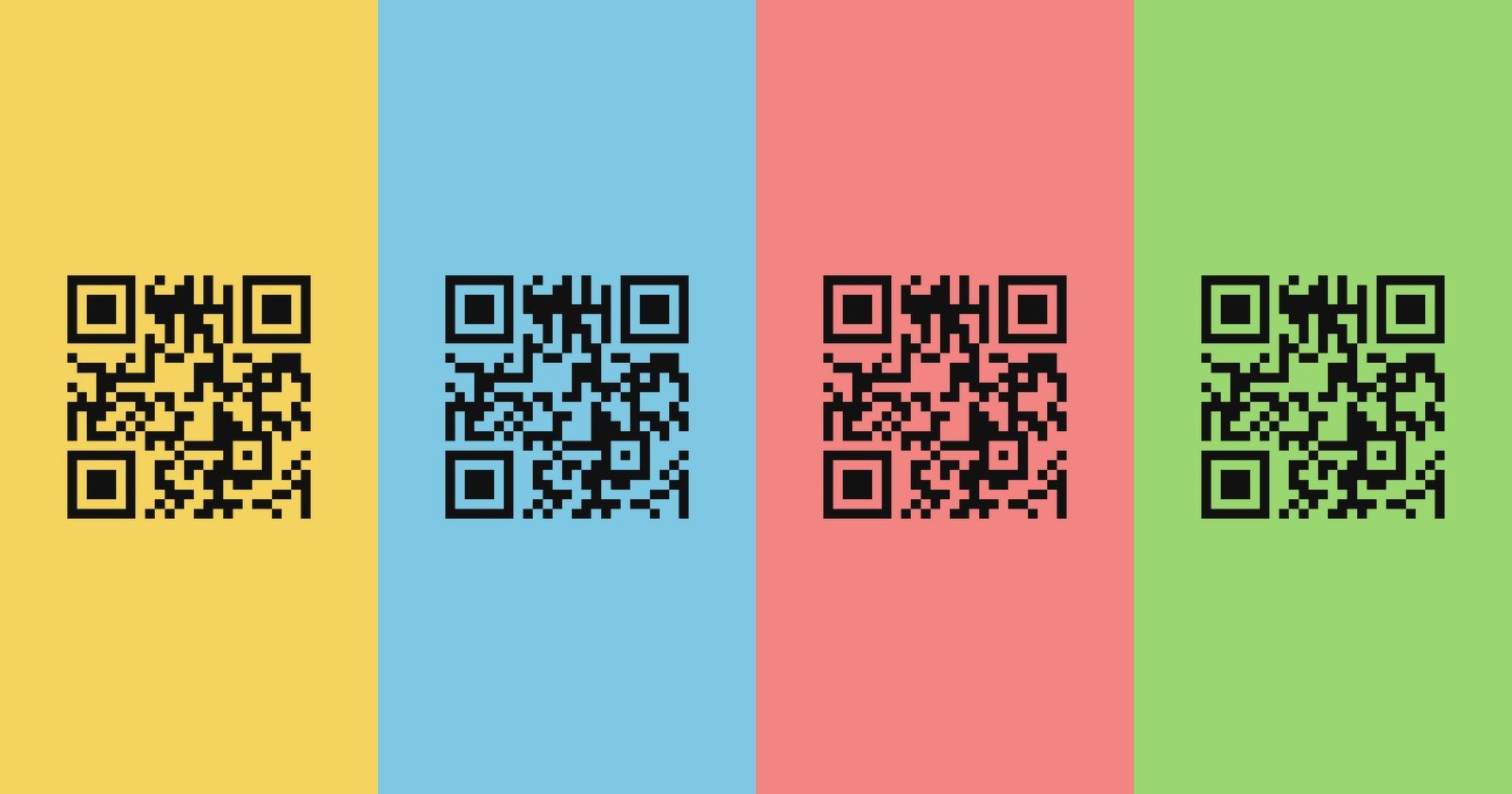
The first time I went looking for a QR code generator, I needed something very simple: a code I could paste on top of any background color. A QR code is just a pattern of dark squares, so all I wanted was those squares with nothing behind them, a PNG with a transparent background, or an SVG.
I couldn’t find a free generator that would give me one. The sites that came up first would make me a code on a white square, and offer the transparent version as part of a subscription.
So I built my own. The latest version is here:
It is free, it has no ads, it doesn’t ask who you are, and once you have opened it you can install it and use it with no connection at all.
What Comes Up When You Search
Search for “QR code generator” today and the top of the results is a handful of companies whose business is QR codes. Here is what their own help pages say about using them.
- QR Code Generator (now owned by Bitly) gives you a JPG without an account, but “downloading in PNG, SVG, or EPS requires creating an account” (their guide). A JPG can’t have a transparent background.
- Canva will put a QR code in your design, but downloading with a transparent background is only available on its paid plans, and so is SVG.
- Uniqode (formerly Beaconstac) includes a transparent PNG during its free trial; after that it is part of a paid plan.
- Flowcode asks you to create an account with Google, Facebook or an email address before you can download, and every code it makes sends people through Flowcode’s servers on the way to your link.
- ME-QR has free codes that never expire, but on the free plan the people who scan your code “may see a short advertisement” before they get where they were going.
To be fair, there are exceptions. QRCode Monkey and goQR.me will make you a plain code without an account. But they are all web services, not something you can keep, and they only work while you’re online.
The Trial Trap
The worst of it is a feature most of these sites push: the dynamic QR code. A dynamic code doesn’t contain your link. It contains a short link to the vendor’s server, which then forwards people to you. That lets you change the destination later and count the scans, but it also means the vendor decides whether your code keeps working.
And they say so, in their own help pages:
- QR Code Generator: “Any Dynamic QR Codes you created during the 14-day free trial period are deactivated at the end of the free trial.” (source)
- QRFY: “Dynamic QR Codes created during the 7-day free trial period will stop working once the trial ends.” (source)
- Uniqode: trial codes are “automatically disabled when the free trial period ends,” and if you stop paying later, they “will no longer redirect users.” (source)
- qr.io: dynamic codes pause after a 7-day trial until you upgrade.
Think about when people find that out. It isn’t while they are making the code. It is two weeks later, when the menus, flyers, business cards or wedding invitations are already printed. The reviews are full of exactly that story: a thousand leaflets that lead to a “this code has been deactivated” page, where the only way to bring them back is to subscribe.
None of this is hidden; it is in the terms. But it is a business model built on getting your code onto paper before you understand the deal.
QR Code Builder
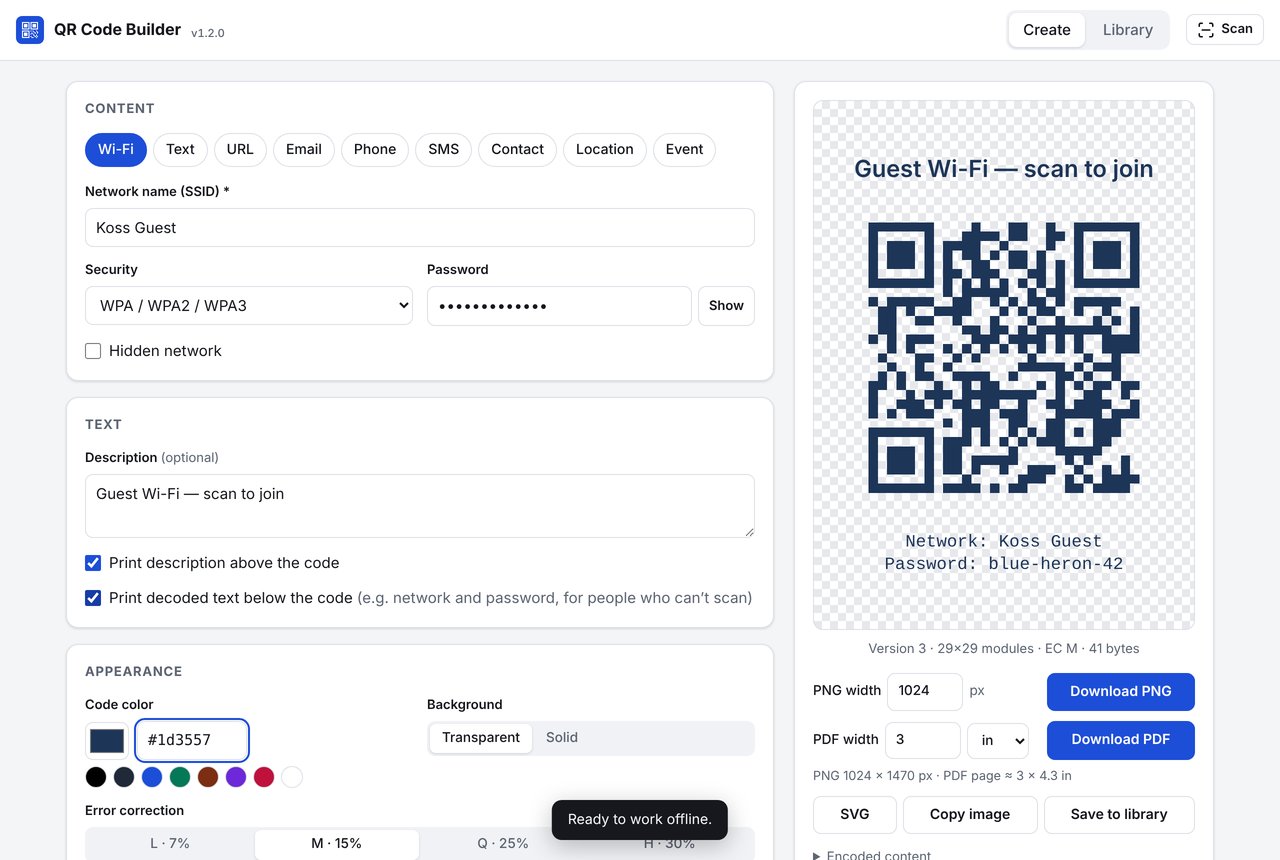
Making a guest Wi-Fi code with a transparent background, with the network name and password printed below it for anyone who can't scan
QR Code Builder makes static codes: what you type is in the code itself, so it works forever, whether or not my site, or anyone’s, is still running. It can make:
- Wi-Fi codes, so guests can join your network by pointing their camera at a card on the counter (with the network name and password printed underneath, for the guest whose phone won’t scan).
- Links, text, email, phone numbers and text messages.
- Contacts (a vCard), map locations and calendar events.
And the feature I was looking for in the first place: a transparent background, so the code sits on top of whatever is behind it. You can pick the code’s color too (it warns you if the contrast is too low to scan), set the quiet zone around it, and add a description above it.
Codes download as a PNG at any size, an SVG, or a PDF at an exact printed size in inches or centimeters, or you can copy or share them.
It can also clone a code. Point your camera at an existing QR code (or open a picture of one), and it reads it, works out whether it’s a Wi-Fi network, a contact, a link or an event, and turns it into a code you can edit and restyle. That’s handy for redoing a code you already have, like the Wi-Fi card that came with your router, in your own colors. It won’t rescue a code from one of those trial sites, though: a dynamic code only holds the vendor’s short link, so a copy still goes through the vendor. To get free of it, make a new code with your real address in it.
Every code you make is kept in a library on your device, which you can search, revise, and export to a file to move to another device. Nothing is sent anywhere. There is no account because there is no server; the whole app is a few files hosted on GitHub Pages.
Like Pocket Arcade, it is a progressive web app. Open the site once, and your browser can install it (on an iPhone: Share, then Add to Home Screen). After that it works in airplane mode.
The source is on GitHub, under the Apache 2.0 license:
Vibe Coding It
As with my other recent projects, I didn’t write the code; I described what I wanted, and Claude Code wrote it, tested it and committed it. I asked for the code types I use, the transparent background, the printed network name and password, then the scanner, then a library that could hold hundreds of codes and merge exports from my other devices without duplicates.
It went from the first commit to version 1.2 in a single day.
The Free Version Always Shows Up
In my Pocket Arcade post I wrote about building software for an audience of one. This is the other half of that idea.
A QR code generator is a solved problem. The code that turns text into a QR code is free and open source; generating one costs nothing, and a static code needs no server at all. What the commercial sites sell isn’t the code. It is everything wrapped around it: the account they ask for, the trial that ends, the ads they show you (or the people who scan your code), and the feature you need, held back for the paid plan.
That model works as long as building the alternative is hard. It isn’t any more. When anyone who can describe what they want can have a working app in an afternoon, someone will eventually build the free version of every simple tool, without the pop-ups, the sign-up or the trap, and give it away, because it cost them almost nothing to make. Once it exists, there is little reason to put up with the encumbered one.
Not everything goes this way. Some services really do cost money to run, and should be paid for: a dynamic code needs a server that someone keeps running. But for the long tail of small utilities whose main job is to show you ads or upsell you a subscription, I think the free, clean alternative is coming, and in a lot of cases it is already here.
This one does what I wanted the first time I went looking: a QR code I can paste on top of anything.